
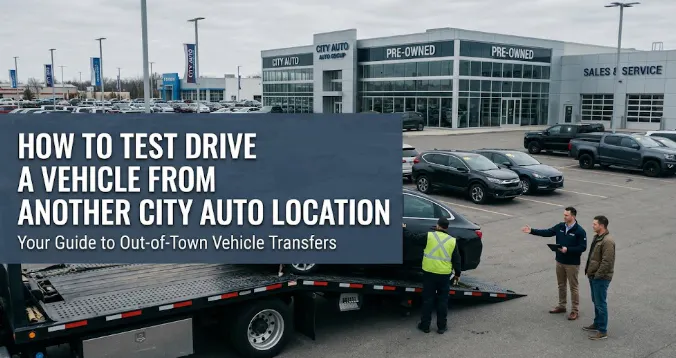
How to Test Drive a Vehicle From Another City Auto Location
City Auto Shopping Guide
Step-by-Step: How to Request a Vehicle Transfer Between Locations
Found the right used vehicle at another City Auto store? Learn how to identify its current location, request information about moving it closer to you, and arrange your next step.
Found the right used car, truck, or SUV at City Auto but it is listed at a different location?
You may not need to start your search over.
City Auto shoppers can browse inventory across multiple locations in Tennessee and Alabama, including Memphis, Murfreesboro, Chattanooga, and Huntsville in Madison, Alabama. If a vehicle you are interested in is listed somewhere other than your preferred store, contact City Auto to ask whether that vehicle can be transferred or otherwise made available for you to see and test drive.
Availability, timing, transfer eligibility, and any applicable conditions can depend on the individual vehicle and locations involved, so it is important to confirm the details with City Auto before making travel plans.
Quick Answer
Start by finding the vehicle on CityAuto.com and checking which City Auto location currently has it. Then contact City Auto with the vehicle information and tell the team where you would prefer to see it. They can confirm availability and explain the options for that specific vehicle. If you cannot find the vehicle you want, City Auto also offers a Vehicle Finder request through its used-inventory page.
How to Shop City Auto Inventory Across Locations
One Inventory Search, Multiple City Auto Locations
Shopping across several dealership locations can give you more options than limiting your search to the vehicles physically parked at one store.
City Auto currently serves shoppers through locations in:
- Memphis, Tennessee
- Murfreesboro, Tennessee
- Chattanooga, Tennessee
- Huntsville/Madison, Alabama
The inventory on CityAuto.com can be filtered by location, which makes it possible to see where a particular used vehicle is currently listed.
That is especially helpful with used vehicles because every unit is different. You may find the trim, mileage, drivetrain, color, equipment, or price combination you want at another City Auto location even when your nearest store does not currently have an equivalent vehicle.
How to Find Which Location Has a Vehicle
City Auto’s inventory search can be narrowed by criteria including:
- Location
- Year
- Make and model
- Trim
- Price and mileage
- Body, cab, and bed style
- Fuel and transmission
- Drivetrain
- Features
Once you find a vehicle, note its current dealership location along with the year, make, model, stock number, or VIN when available.
Why Location Matters More With Used Vehicles
Used inventory is unique. Mileage, condition, previous ownership, options, color, service history, and pricing can make one vehicle meaningfully different from another even when the year, make, model, and trim are the same.
Search Across City Auto
Browse Used Inventory From All Locations
Start with the vehicle that fits your needs, then check where it is currently listed.
How a Vehicle Transfer Request Works
The first step is simple: identify the vehicle and contact City Auto.
Tell the team:
- Which vehicle you are interested in.
- Where the vehicle is currently listed.
- Which City Auto location is most convenient for you.
- When you would like to see or test drive it.
- Any important questions you have before requesting a transfer.
City Auto can then confirm whether the vehicle is still available and explain the options for that particular unit.
Requesting a Vehicle From Another Location
Example Request
“I’m interested in the 2022 Ford F-150 listed at City Auto Memphis. I’m closer to the Huntsville location in Madison. Is it possible to have this vehicle made available there for me to see and test drive?”
Before arranging the next step, you may also want to confirm:
- Current availability
- Mileage
- Drivetrain and engine
- Major options
- Vehicle-history information
- City Auto Certified status, if applicable
- Pricing and must-have equipment
How Long Does a Vehicle Transfer Take?
Transfer timing can depend on where the vehicle is located, where you want to see it, vehicle availability, transportation logistics, and other circumstances.
Ask the City Auto team for the expected timing for the individual request. If you need a vehicle by a particular date, mention that when you contact the dealership.
Is Every Vehicle Eligible for Transfer?
Not necessarily. A vehicle may already have a pending sale, may no longer be available, or may have other circumstances that affect whether it can be moved.
Are There Transfer Fees?
Do not assume that the same terms apply to every vehicle or request. Ask City Auto to confirm any transfer-related terms that apply to the vehicle you are considering before the move is arranged.
City Auto Locations
City Auto’s multi-location inventory gives shoppers access to vehicles across Tennessee and northern Alabama.
City Auto Memphis
Serving Memphis-area shoppers. If a vehicle you want is listed here but another City Auto location is more convenient, ask what options are available for that specific unit.
City Auto Huntsville — Madison, Alabama
Serving Huntsville, Madison, and northern Alabama shoppers. If the right vehicle is listed in Tennessee, contact the Huntsville team to discuss your options.
City Auto Chattanooga
Serving Chattanooga-area and southeastern Tennessee shoppers. Ask about a specific vehicle if the best match is currently listed at another City Auto location.
City Auto Murfreesboro
Serving Middle Tennessee shoppers. When browsing group-wide inventory, check the listed location rather than assuming every vehicle on CityAuto.com is physically at the Murfreesboro store.
View City Auto locations, directions, and current hours
Should You Request a Transfer Before Seeing the Vehicle?
If the vehicle appears to be a strong match, a transfer request can save you from traveling farther just to see one specific unit. Before requesting it, review the listing carefully and ask any questions that could change your decision.
Check the Vehicle Details First
- Mileage
- Photos
- Vehicle-history information
- Engine and drivetrain
- Trim and equipment
- Exterior and interior colors
- Price
- Stock number
- VIN
Confirm Must-Have Features
If one feature is essential, ask about it directly. Do not request a vehicle solely because an automated listing says it has a particular option.
If adaptive cruise control, third-row seating, a panoramic roof, heated seats, four-wheel drive, a towing package, or another feature is a deal-breaker, verify it first.
Ask About Availability Before Making Travel Plans
Used inventory changes quickly and some listings may have a pending sale. Contacting the dealership before leaving home helps you avoid making a trip for a vehicle that is no longer available.
What Happens When the Vehicle Is Ready to See?
Once City Auto confirms where and when you can see the vehicle, treat the appointment the same way you would any used-vehicle test drive. Do not skip your normal evaluation simply because you specifically requested the vehicle.
Walk Around the Vehicle
- Exterior condition
- Tires and wheels
- Glass and lights
- Cargo area or truck bed
- Interior condition
- Seats, controls, and displays
Test the Features You Care About
Connect your phone if smartphone integration matters. Try the cameras, climate control, seats, liftgate, sunroof, four-wheel-drive controls, towing technology, or any other feature important to your purchase.
Take a Meaningful Test Drive
- Driving position and visibility
- Steering and braking
- Ride comfort
- Cabin noise
- Acceleration
- Transmission behavior
- Parking ease
- Seat comfort
What If the Vehicle You Want Is Not in City Auto Inventory?
Sometimes the vehicle you want is not sitting at another City Auto store it simply is not currently listed.
City Auto’s used-vehicle inventory page includes a Vehicle Finder form for shoppers who do not see what they want.
You can provide criteria such as:
- New, used, or either
- Model year
- Maximum mileage
- Maximum price
- Make and model
- Trim
- Color
- Transmission
- Additional requirements
Transfer Request vs. Vehicle Finder: Which Should You Use?
| Your Situation | Best Next Step |
|---|---|
| You found the exact vehicle at another City Auto location | Ask about transfer availability |
| You found a similar vehicle but need different equipment | Search group-wide inventory or submit Vehicle Finder |
| The vehicle shows a pending sale | Contact City Auto and ask about similar vehicles |
| You cannot find the model or configuration you want | Submit a Vehicle Finder request |
| You are unsure which vehicle fits your needs | Contact your nearest City Auto location |
Tips for Shopping City Auto Inventory Across Locations
Search Broadly Before Filtering by Location
If you are willing to consider a vehicle from another store, begin with the full used inventory. First find the right vehicle. Then look at where it is located.
Save the VIN or Stock Number
Year, make, model, and color may not be enough to identify a particular used vehicle. A stock number or VIN helps everyone make sure you are discussing the same unit.
Ask Your Questions Before the Transfer
If you need a specific drivetrain, engine, package, feature, or configuration, verify it before requesting the vehicle.
Keep a Second Choice in Mind
Used vehicles are one-of-one inventory. If your first choice becomes unavailable, having one or two alternatives already identified can make the search easier.
Key Takeaways
- City Auto shoppers can search inventory across Memphis, Murfreesboro, Chattanooga, and Huntsville/Madison.
- Use the Location filter to identify where a vehicle is currently listed.
- If the vehicle is at another City Auto location, contact the team and ask about options for seeing it at your preferred store.
- Transfer availability, timing, and applicable terms can depend on the individual vehicle and request.
- Confirm availability before making travel plans.
- Verify must-have equipment before requesting a vehicle.
- Use the VIN or stock number when contacting City Auto.
- If the vehicle is not currently listed, use City Auto’s Vehicle Finder.
Frequently Asked Questions
Can City Auto transfer a used vehicle between locations?
If you find a vehicle listed at another City Auto location, contact City Auto and ask about transfer availability for that specific unit. Eligibility and logistics can depend on the vehicle and locations involved.
Can I test drive a City Auto vehicle that is listed at another store?
Contact City Auto with the vehicle information and tell the team which location is most convenient for you. They can confirm the options for seeing and test-driving that particular vehicle.
How do I know which City Auto location has a vehicle?
CityAuto.com’s used-inventory search includes a Location filter, and the vehicle information identifies the dealership associated with the listing.
How long does it take to move a vehicle between City Auto locations?
Timing can vary based on the vehicle, locations, availability, and transportation logistics. Ask City Auto for an estimate for the specific request.
Is there a fee to transfer a City Auto vehicle?
Transfer terms can vary. Confirm any applicable costs or conditions with City Auto for the individual vehicle before requesting that it be moved.
Can every used vehicle be transferred?
Not necessarily. Availability can change, and individual vehicles may have pending sales or other circumstances that affect transfer eligibility. Contact City Auto to confirm.
Which City Auto locations can I shop?
City Auto currently lists locations in Memphis, Murfreesboro, and Chattanooga, Tennessee, plus City Auto Huntsville in Madison, Alabama.
Should I contact the store that has the vehicle or my nearest City Auto?
Either can be a useful starting point. Provide the exact vehicle information and the location where you would prefer to see it so the City Auto team can determine the appropriate next step.
What if I cannot find the vehicle I want?
City Auto’s used-inventory page includes a Vehicle Finder form. Submit your preferred make, model, year, mileage, budget, trim, color, transmission, and other important requirements.
Should I confirm availability before driving to a City Auto location?
Yes. Used inventory changes, and City Auto advises shoppers to confirm availability before making a trip for a particular vehicle.
See a CAzillion. Find the One.
Find the Right Vehicle Across City Auto Locations
Search City Auto’s used inventory first. If the vehicle you want is listed somewhere else, contact the team with the stock number or VIN and ask about your options.
More From City Auto
Truck Comparison
Ford F-150 vs. Chevy Silverado 1500 by Model Year
Compare two of the most popular used full-size trucks across engines, generations, towing, MPG, and configurations.
Used Truck Research
Which Used Truck Is the Most Reliable?
See what matters when comparing reliability across popular used pickup trucks.
Towing Guide
Ford F-150 Towing Capacity by Year and Engine
See how F-150 towing ratings change by model year, engine, drivetrain, and configuration.
